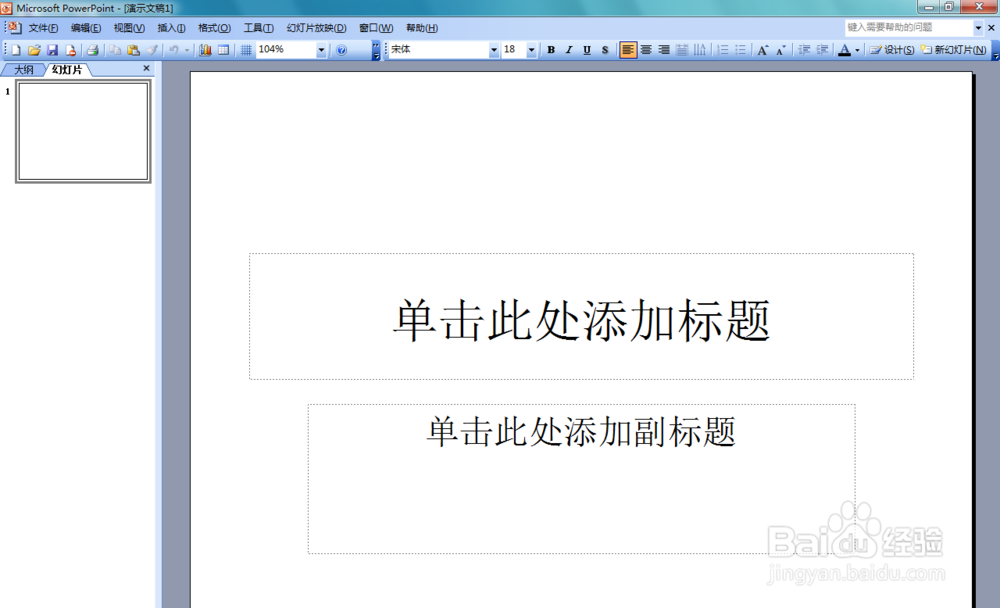
1、打开PowerPoint 2003这款软件,进入PowerPoint 2003的操作界面,如图所示:
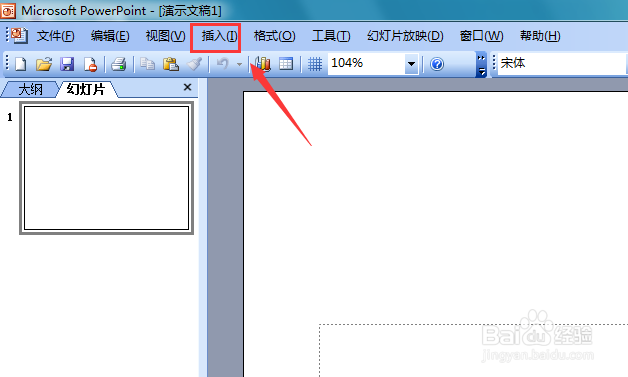
2、在这个界面内找到插入选项,如图所示:
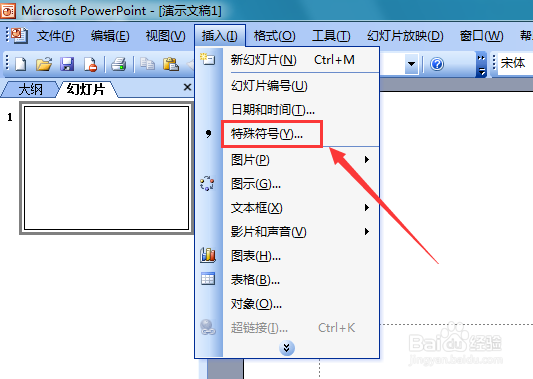
3、点击插入选项,在其子级菜单里找到特殊符号选项,如图所示:
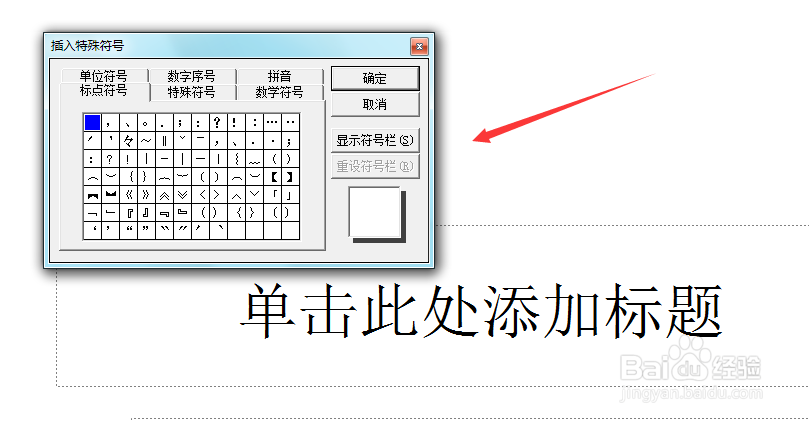
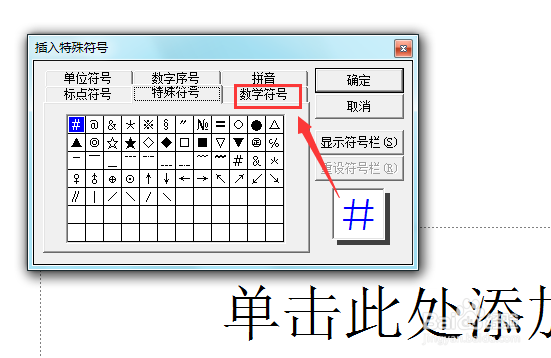
4、点击特殊符号选项,弹出插入特殊符号对话框,如图所示:
5、在该对话框内找到数学符号选项,如图所示:
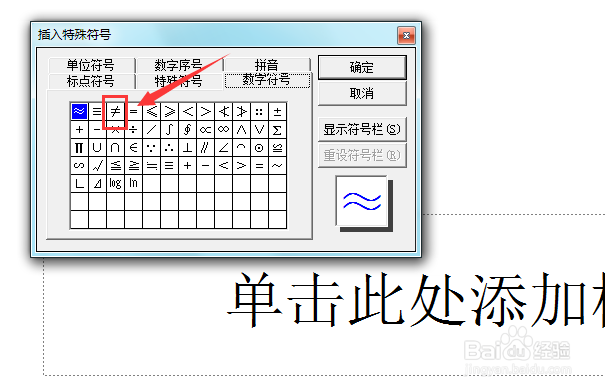
6、点击数学符号选项,在其内找到不等于符号选项,如图所示:
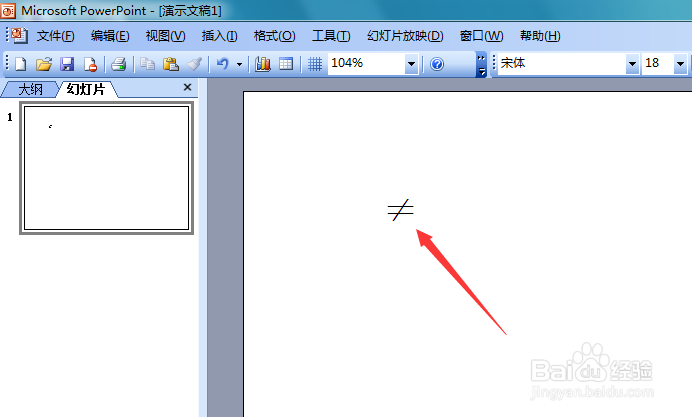
7、点击该选项,可以看到再输入区我们的不等于符号就输入进来了,如图所示:
时间:2026-04-25 12:50:53
1、打开PowerPoint 2003这款软件,进入PowerPoint 2003的操作界面,如图所示:
2、在这个界面内找到插入选项,如图所示:
3、点击插入选项,在其子级菜单里找到特殊符号选项,如图所示:
4、点击特殊符号选项,弹出插入特殊符号对话框,如图所示:
5、在该对话框内找到数学符号选项,如图所示:
6、点击数学符号选项,在其内找到不等于符号选项,如图所示:
7、点击该选项,可以看到再输入区我们的不等于符号就输入进来了,如图所示:
